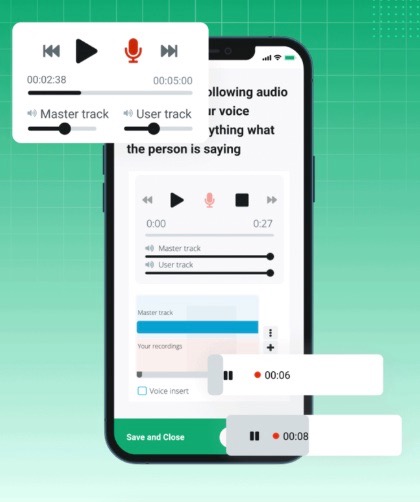
We provide SDSU and LARC language instructors with free access to Sanako Connect, a complete language teaching software offering a variety of tools which instructors can use to hold live or asynchronous classes in the classroom and remotely. With Connect, students can join a class session without signing in, just by clicking a unique lesson link or scanning a QR code with their phones. As a teacher, you can create quick lessons or launch pre-made activity types available on the software.
Practicing or Administering Speaking and Listening Exams
Interactive Speaking Tasks Using Any Video or Audio
Perform whole class simultaneous speaking tasks setting up students in pairs or groups
Create self-marking exercises (gap-fill, translation tasks, flashcards, and multiple choice)
Upload and manage resources, files, exercises, classes, submissions and feedback
Launch quick live activities with automated students’ response collection such as group and pair discussion, listening comprehension, speaking practice, and image description
Simultaneous and consecutive interpreting training with any video or audio file using two-track recorder
Record videos or embed YouTube videos to be used as study resources or as a part of an asynchronous speaking or listening activity.
Enter your name and email address along with a password you decide on.
Once you have created your account, you will always use the following link to access your account at us.connect.sanako.com.
Getting Started
We regularly host training sessions and workshops in the Language Space on how to use DiaConnect. Check back on this page for any upcoming sessions, or email our Learning Technologies Coordinator, Mari Ocando Finol to schedule a consultation or group training session for your department or group of instructors.
Instructors and teaching assistants can book the Language Space (SH 204 or SH 205) for their DiaConnect sessions, including booking time for students to complete activities on their own (self-study). LARC Assistants are available for in-class support to use DiaConnect.